Fridge Door
The shopping list, what's for dinner, whose job the dishwasher is and what's on this week, on every phone in the house at once. A family organiser for iPhone and iPad, with no accounts to make and everything kept in your own iCloud.
One list, and everyone adds to it
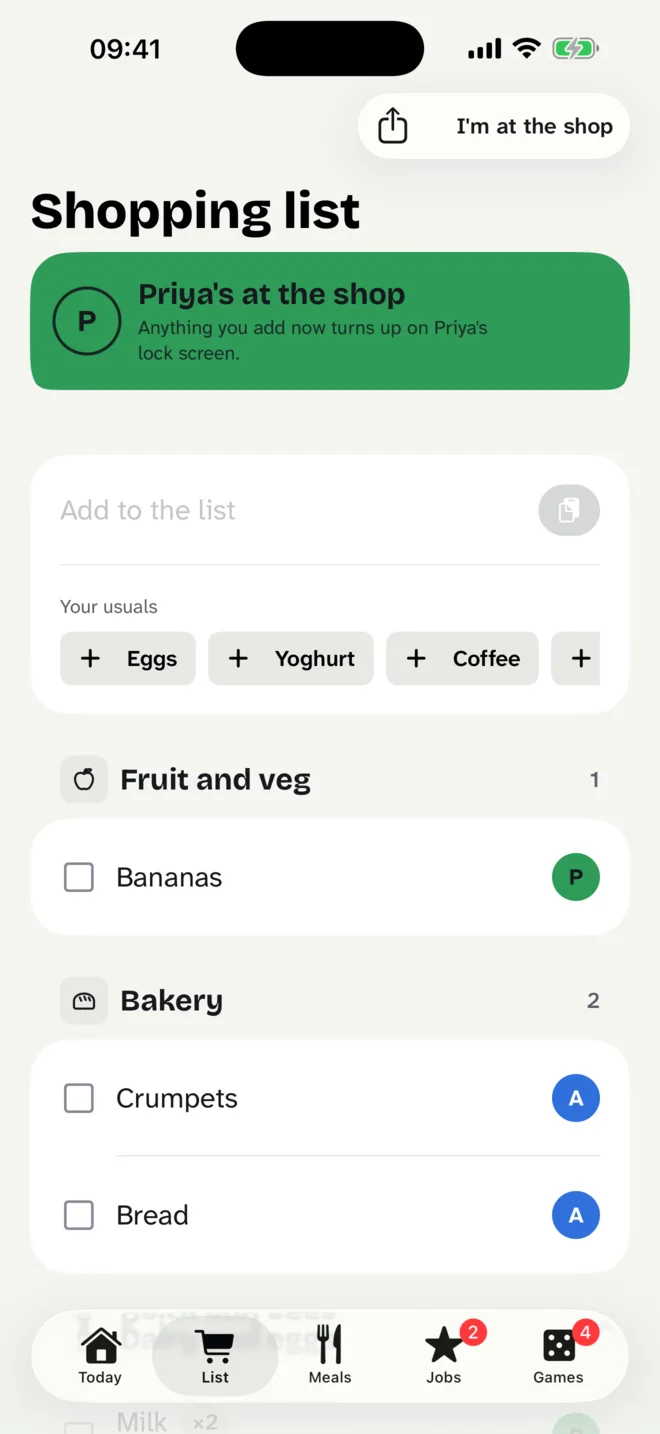
Anyone in the family adds to the shopping list and it is on everyone's phone a moment later, sorted by aisle in the order you walk round the shop, so nobody doubles back for the milk. The things you buy every week are one tap each.
Tap “I'm at the shop” and the rest of the family is asked whether there is anything else. Whatever they add turns up on your lock screen while you are still in the aisle, rather than as a text when you are back at the car.
What's for dinner, sorted
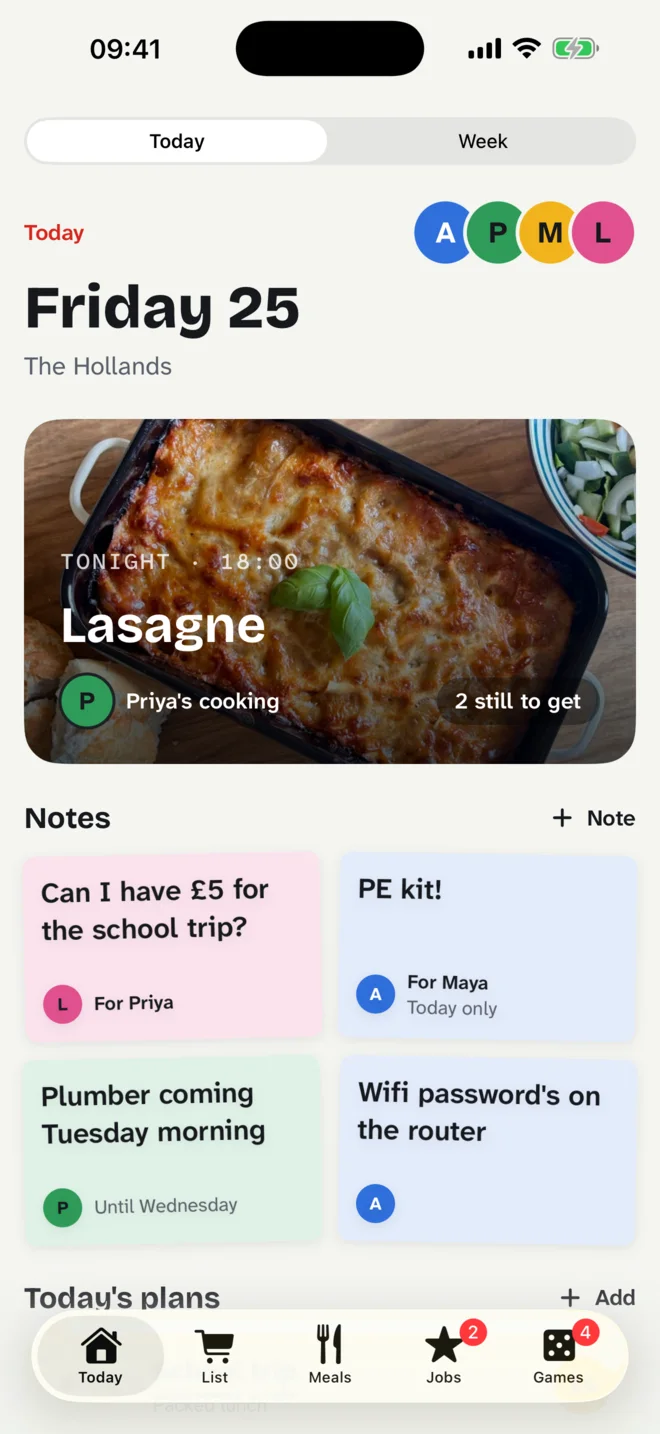
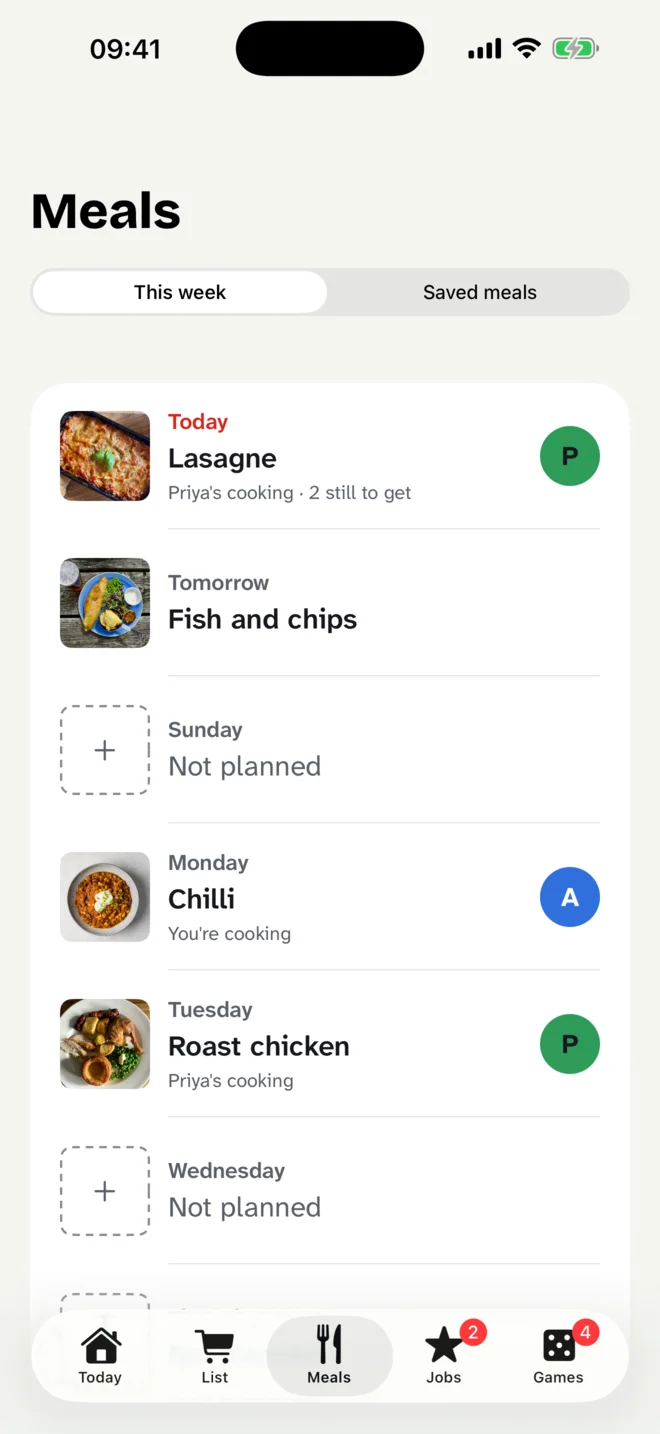
Plan the week's dinners and say who is cooking, and whatever each meal still needs goes straight onto the list. Tonight's dinner sits at the top of everyone's Today, which answers the question before anyone asks it.
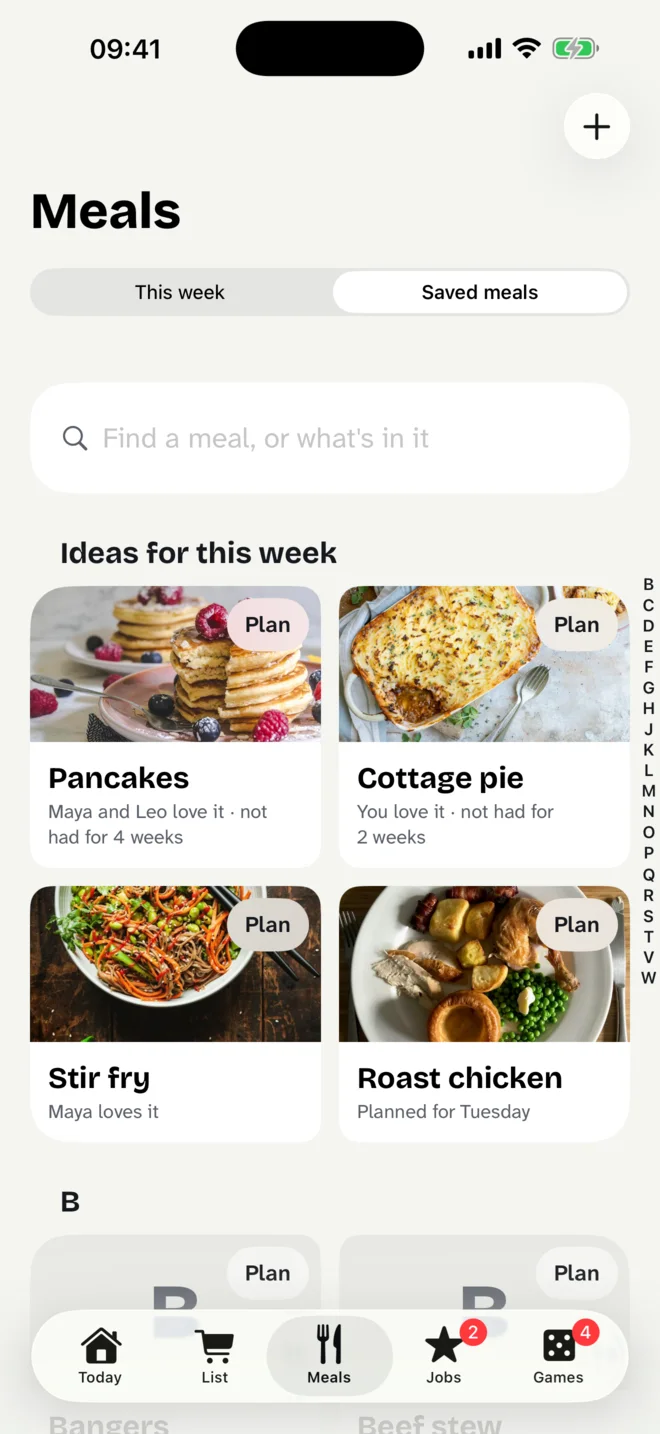
The meals you make are saved with their ingredients, and you can find one by its name or by what is in it. Share a recipe from a website and Fridge Door keeps the link and turns the ingredients into things to buy. When you are stuck, it suggests the meals your family likes and has not had for a while.
The week, and notes on the fridge
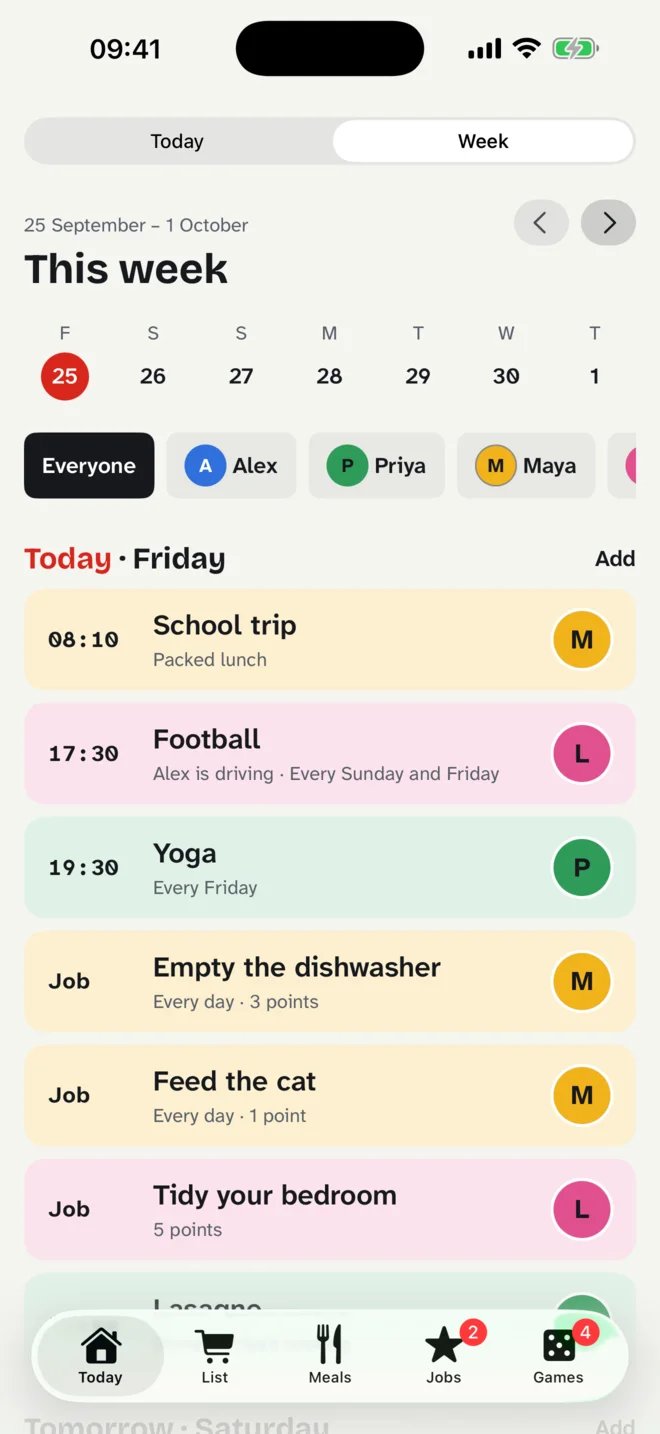
Everyone's plans, jobs and dinners in one week, day by day, for the whole family or one person at a time: the school trip at ten past eight, football at half past five and who is driving.
And notes, because that is what a fridge door is for. One short line, for everyone or for one person, that stays up until someone takes it down. The plumber is coming on Tuesday. The wifi password is on the router. Can I have five pounds for the school trip?
Jobs, points and prizes
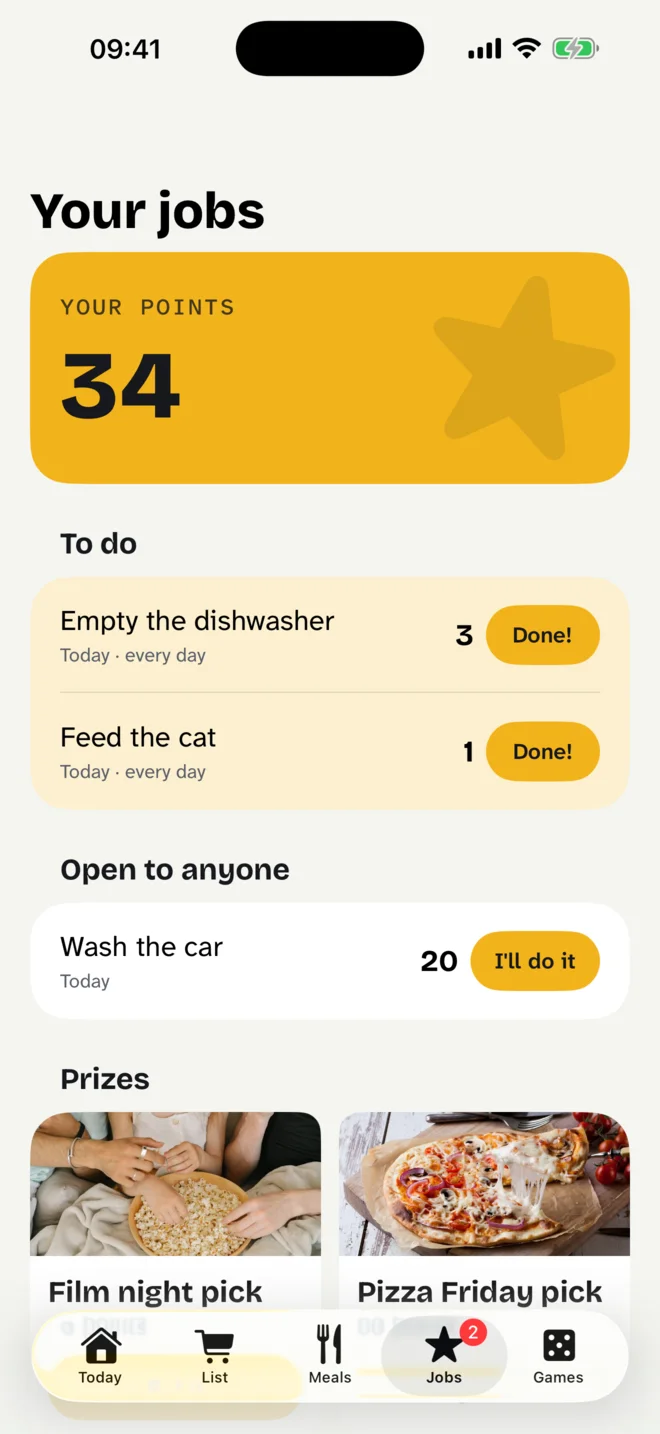
Give out jobs, once or every day, to one person or to whoever gets there first. Children tick theirs off, a grown-up checks, and the points add up towards prizes the grown-ups have set: choosing the film, or the pizza on Friday.
There are no streaks, no league table and nothing that compares one child with another. A job that is not done yet simply waits, and each child sees only their own points.
Games across the kitchen table
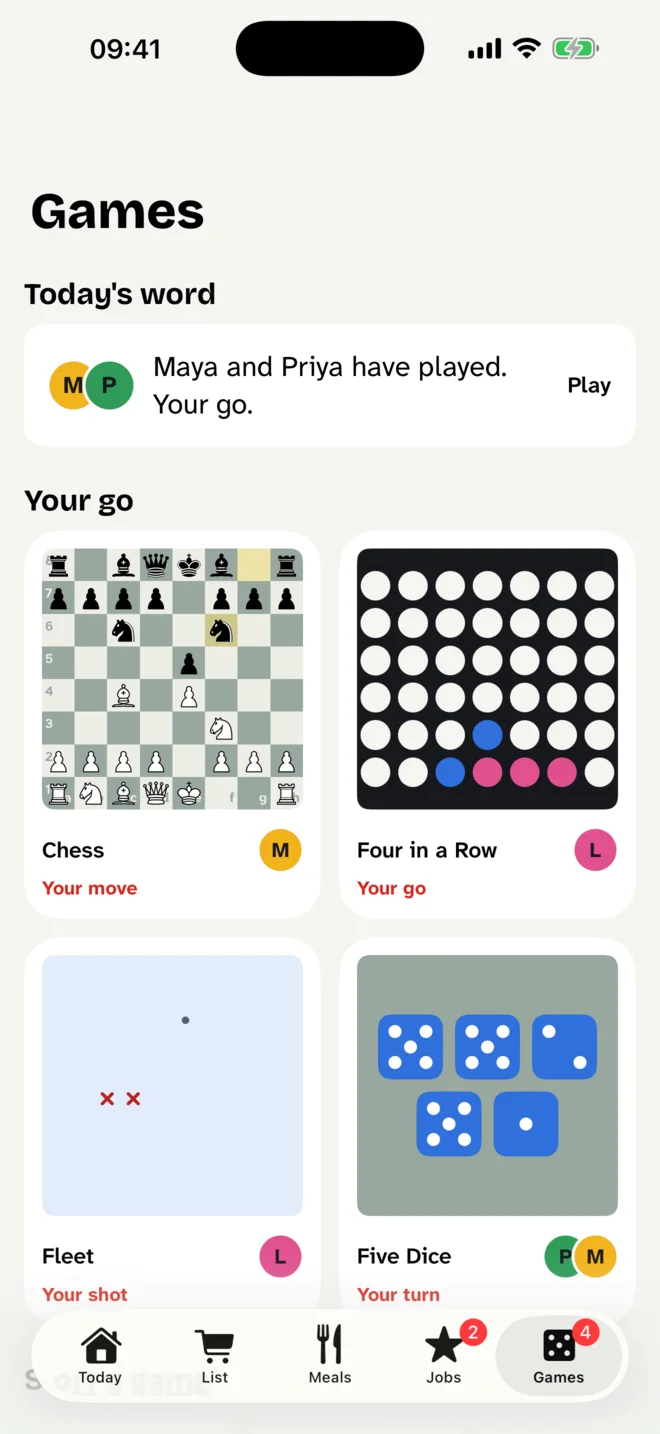
Chess, Four in a Row, Fleet and Five Dice, played a turn at a time between the people in your family, so a game can run all week around school and work. Nobody is ever matched with a stranger.
And Today's word: one five letter word a day, the same one for the whole family, and you can see who has already had their go before you take yours.
No accounts, and I can't see any of it
There is nothing to sign up for. One person starts the family, and everyone else joins by pointing their phone at a code on the first one. Everything the family puts in is kept in that family's own iCloud, where Apple holds it for you and I have no way of reading it.
No adverts, no analytics and no tracking. When something happens that the family should hear about, the words are sealed on the phone that sends them, so nothing that carries the notification can read it. The privacy policy has the detail.
Free, with one purchase for the rest
Today, the shopping list, notes, the week's plans and Today's word are free for as long as you use it. Meals, jobs and prizes, and the games come with one purchase, made once, and you can try them free for fourteen days first. There is no subscription.
Family Sharing means one purchase covers your Apple family. Children are never shown a price or an offer. If the trial ends nothing you added is lost: it is still in your iCloud, and it comes back the moment you buy.
Fridge Door needs iOS or iPadOS 18 or later, and iCloud. Each person uses their own Apple Account, and children can use the ones made for them through Family Sharing.
For support
Something not turning up on another phone, a purchase gone missing, or a question about the app? One person makes this, so you are writing to the person who can fix it. I can't see your family's things, so tell me what you see on the screen. I reply within 24 to 48 hours.